


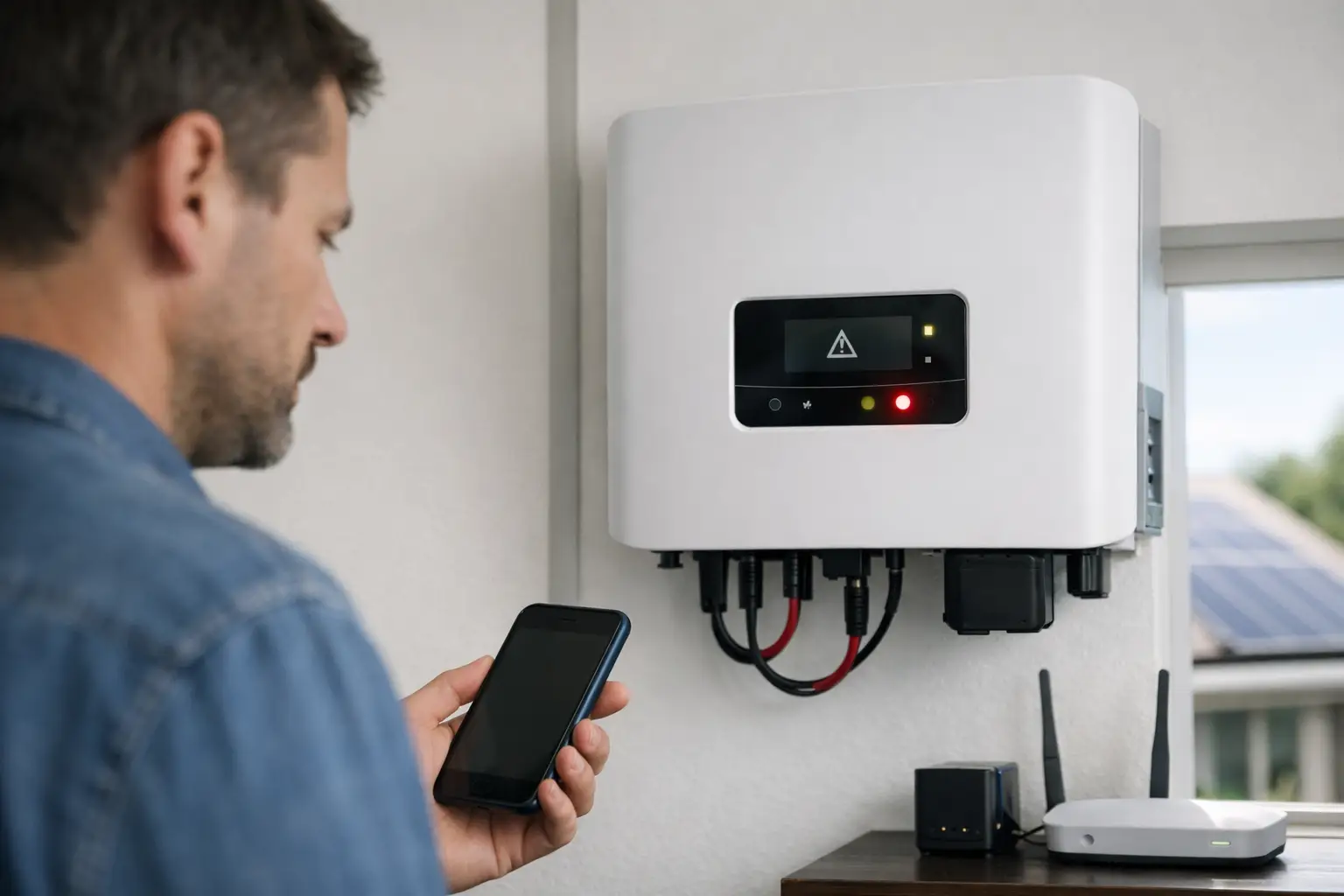
You usually notice it after a run of bright days and a power bill that does not look right. If you are asking, why is my inverter offline, the key point is this: your solar system may be producing little or no energy, and every day it stays that way costs you money.
An offline inverter does not always mean the inverter itself has failed. In many cases, the problem sits elsewhere – communications, grid conditions, isolators, cabling, water ingress, or a shutdown caused by a fault the inverter has correctly detected. The right response is to check a few safe basics first, then arrange proper testing if the issue is not obvious.
Why is my inverter offline – what “offline” actually means
Homeowners often use “offline” to describe a few different situations. Sometimes the inverter has no display and appears completely dead. Sometimes it is powered on but not reporting to the monitoring app. In other cases, the inverter is showing a fault and has stopped exporting.
Those are three different fault paths. If the monitoring app says the inverter is offline, but the inverter screen looks normal, you may only have a communications problem. If the inverter display is blank, that points more towards a power supply issue, shutdown, tripped protection, or component failure. If the display is active and showing an alarm, the inverter is telling you it has detected something that needs attention.
This distinction matters because not every offline alert is equally urgent. A Wi-Fi dropout is annoying, but a damaged rooftop component, failed DC isolator, or moisture-related fault can affect both production and safety.
The most common reasons an inverter goes offline
The most common cause is a communication fault rather than a generating fault. Many inverters rely on home internet, Wi-Fi signal strength, a data logger, or a monitoring portal. If the modem has been replaced, settings have changed, or the signal is weak, the app may report the inverter as offline even though solar generation is still occurring.
The next common issue is a grid-related shutdown. Solar inverters are designed to disconnect when grid voltage or frequency moves outside acceptable limits, or when anti-islanding protection is triggered. This is normal protective behaviour. In some areas, repeated grid fluctuations can cause intermittent shutdowns, particularly on mild sunny days when export conditions are less stable.
Then there are physical faults. A failed AC isolator, deteriorated DC isolator, loose connection, damaged cabling, internal inverter fault, or surge damage can all take the system offline. On older systems, wear and weather start to show up more often. In Canberra and surrounding areas, hail, UV exposure, temperature swings, and moisture can all contribute to faults that are not visible from ground level.
Another possibility is that the inverter has reached the point where age is catching up with it. Inverters do not usually last as long as the panels. If your system is older, repeated offline events may be a sign that the inverter needs testing, repair planning, or replacement.
What you can safely check yourself
There are a few things worth checking before you call anyone out. Start with the inverter display. If there is a screen, look for an error code, warning light, or fault message. Take a clear photo. That saves time later and helps identify whether the issue is communication, grid-related, or hardware-based.
Next, check whether the inverter has power. If the display is blank, look at the solar supply main switch and any clearly labelled inverter AC isolator that is safely accessible. If a breaker has tripped, do not keep resetting it repeatedly. One trip can be incidental. Repeated tripping usually means there is an underlying fault.
It is also worth checking your monitoring setup. If your home internet has dropped out, your modem was changed, or your Wi-Fi password was updated, the inverter may simply have lost its connection to the portal. In that case, the system may still be generating normally.
If you can safely compare the inverter screen with the app, do that. If the screen shows generation but the app says offline, the problem is likely communications. If both show no production, the issue is more likely in the system itself.
What not to touch
If you suspect damage, burning smell, water ingress, cracked isolators, or signs of scorching, stop there. Do not open covers, touch rooftop equipment, or try to reset switches repeatedly. Solar systems contain live components that can remain hazardous even when part of the system appears off.
The same goes for any fault after heavy rain, hail, or storm activity. What looks like a simple outage can involve insulation damage, moisture intrusion, connector problems, or roof-level defects that require licensed inspection and test equipment.
When “offline” is really a monitoring problem
This is one of the more frustrating scenarios because the system can appear faulty when it is actually still working. Monitoring dropouts often happen after internet changes, router upgrades, poor signal strength, or failed communications hardware.
If your inverter screen shows normal operation, daily yield, or active generation during daylight hours, that is a strong sign the inverter itself is not the main problem. The trade-off is that you still should not ignore it. Without monitoring, you can miss real underperformance for weeks or months. A communications fault is less urgent than an electrical fault, but it still reduces your visibility over system performance.
When the inverter is shutting down for a reason
An inverter is meant to protect itself and the grid. If it detects abnormal voltage, frequency issues, insulation faults, earth leakage concerns, or anti-islanding events, it may disconnect. That is not the inverter being temperamental. It is doing its job.
This is where proper testing matters. A simple reset may bring the inverter back online temporarily, but it does not explain why the shutdown occurred. If the fault returns, you need actual diagnosis rather than guesswork. For some ACT customers, especially those responding to EvoEnergy notification requirements, anti-islanding inverter testing is not just good practice – it is a compliance matter.
Why older systems need a closer look
If your system is ten years old or more, an offline inverter can be part of a bigger maintenance story. Components age at different rates. Panels may still be serviceable while isolators, connectors, switchgear, seals, and the inverter itself begin to deteriorate.
This is why a one-point fix is not always the most economical approach. Replacing one failed part without checking the rest of the system can leave you exposed to the next fault. A proper health check helps determine whether the issue is isolated or part of broader wear.
What a professional inspection should cover
If the fault is not clearly just a Wi-Fi issue, a proper call-out should go beyond turning the system off and on again. The goal is to confirm safe operation, identify the actual cause, and give you a clear repair path.
That usually means checking inverter fault history, AC and DC isolators, shutdown points, visible cable condition, panel performance indicators, voltage behaviour, and compliance-related functions where required. If there are signs of weather damage, moisture entry, or degraded rooftop components, those need to be documented properly as well.
For investment-minded owners, this is the difference between a quick guess and a useful answer. You want to know what failed, what else is at risk, whether the system is safe to keep running, and whether repair makes financial sense.
Why prompt action matters
A solar fault rarely improves by being ignored. If the inverter has been offline for a week in good weather, that is lost generation you will not recover. If the root cause is electrical deterioration, delay can also increase repair scope.
There is a practical balance here. You do not need to panic over every app notification, but you also should not assume the system will sort itself out. If the inverter is clearly not producing, is repeatedly faulting, or has gone offline after storms or switching issues, book testing before a small problem becomes a more expensive one.
Why is my inverter offline if the weather looks fine?
Good sunshine does not rule out a solar fault. Many offline events happen on otherwise clear days because the problem is electrical, not meteorological. A failed isolator, internal inverter fault, protection trip, voltage issue, or communications failure can all occur while the roof is in full sun.
That is why visual assumptions are unreliable. The panels can look perfectly fine from the driveway while the system is producing nothing.
If you are asking why is my inverter offline, the safest approach is simple. Check the screen, note any error message, confirm whether it is a monitoring issue or a real shutdown, and do not force resets if the fault persists. After that, get it tested properly by a qualified solar electrician who works on existing systems, not just new installs.
A solar system should earn its keep. When the inverter goes offline, the main job is to find out whether you have a minor communications issue or a fault that is quietly cutting into your return.
Leave a Reply